GSTIN Profiles, Business Units & Branches
Set up your tax registrations and the shape of your organisation — the divisions you report by and the registered places of business you invoice from.
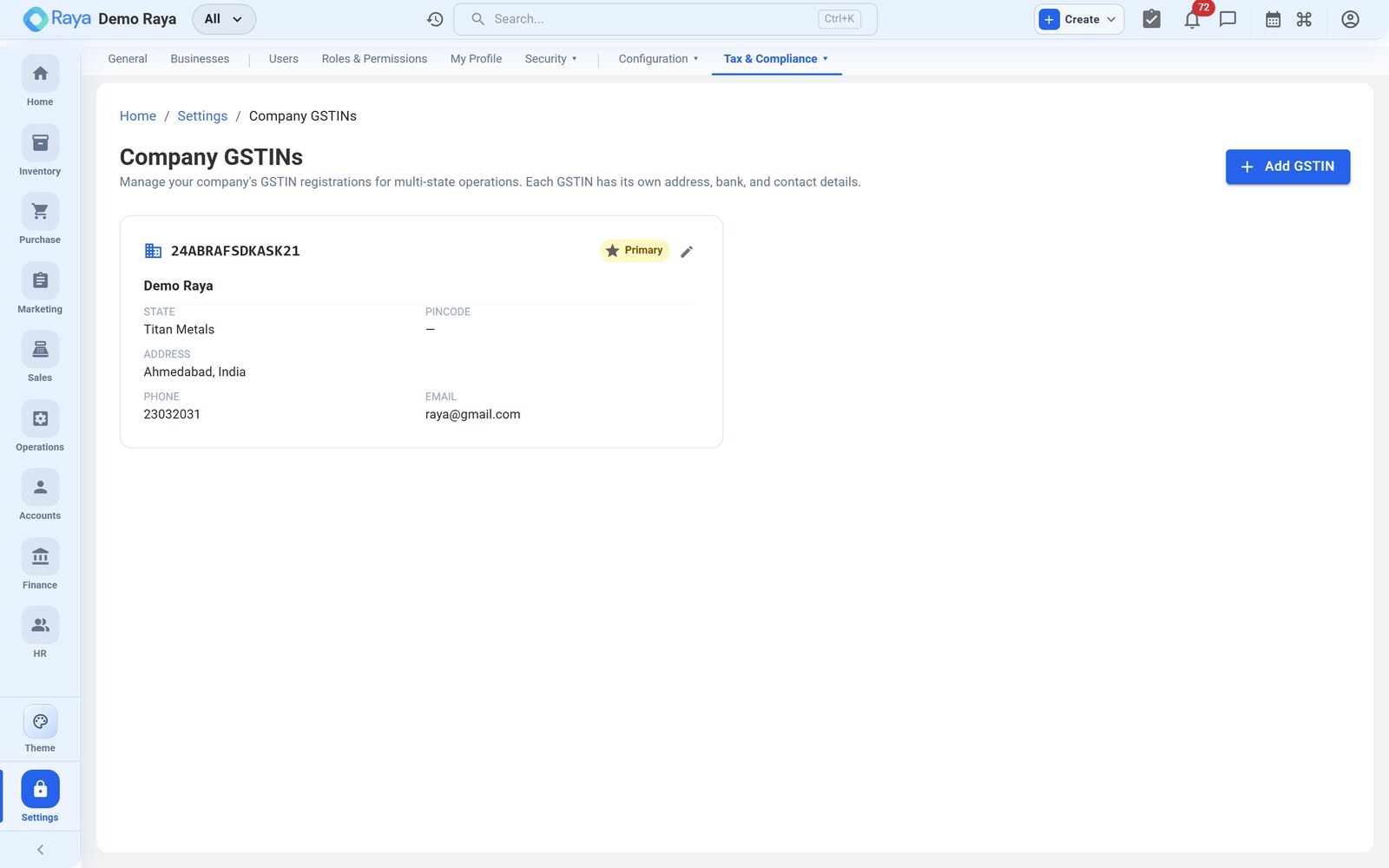
:::info Start with the concept This page covers the setup steps. For how accounts, business units, locations and branches relate — and how the active‑branch selector stamps documents — read Organisation structure first. :::
GSTIN profiles
A GSTIN profile is one GST registration. Businesses registered in more than one state hold multiple GSTINs, so Raya lets you add one per place of business.
- Manage them under Settings → Tax & Compliance → GSTIN profiles.
- Each profile carries its GSTIN, legal name and registered address.
- Linking a GSTIN to a location turns that location into a branch (below).
Business units
A Business Unit is an optional division, brand or vertical inside your company — a reporting dimension, not a tax or stock boundary.
- Go to Settings → Businesses and click New Business.
- Give it a name, description and colour, then Create & Switch.
- Tag transactions to the unit so you can report by division.
Each business has its own inventory, sales orders and operations, while finance stays unified across all of them. Every account starts with one default unit, which can't be deleted.
Branches
A Branch is a location linked to a GSTIN — how Raya models a place of business that has its own GST registration.
- Create locations under Inventory → Locations, then attach a GSTIN profile to turn one into a branch.
- The active‑branch selector scopes what you see across Sales, Purchase, Inventory and Finance, and stamps the correct GSTIN and place of supply on documents.
- Transfers between branches on the same GSTIN post internal stock‑in‑transit entries; transfers across different GSTINs are treated as a supply and validated accordingly.
How they fit together
| Concept | Answers | Where |
|---|---|---|
| Business Unit | "Which division?" (reporting) | Settings → Businesses |
| Location | "Which warehouse/rack?" (stock) | Inventory → Locations |
| Branch | "Which GST registration?" | Settings → GSTIN profiles |
Related
- Organisation structure — the full concept, including transfers between branches.
- Invoice Templates & Numbering — scope templates and number series to a business unit or branch.