Stock Allocation
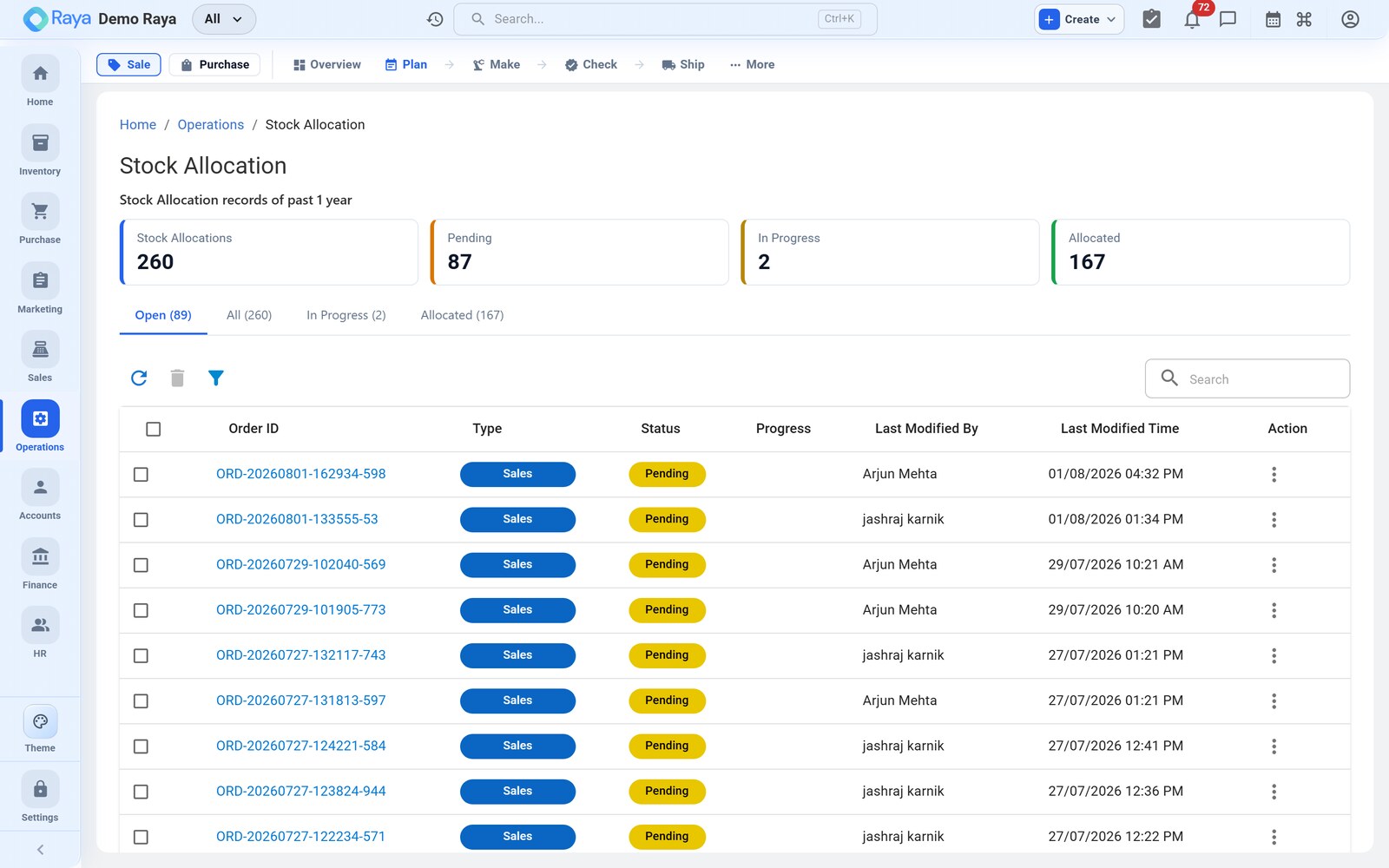
Operations → Stock Allocation is where a planner decides how each confirmed sales order line will be sourced — the first, branching step of fulfilment. Every line gets one of four decisions — Pick, Produce, Procure, or Transfer — and each decision hands the line off to a different downstream process.
Worked scenario
Sales order SO-1290 confirms with three lines. The planner opens Stock Allocation and sees the on-hand versus required position for each:
| Order line | Required | On hand (ship-from) | Item type | Decision |
|---|---|---|---|---|
| 50 L HDPE Drum | 2,000 | 0 | Finished Goods (has BOM) | Produce |
| Steel banding coil | 40 | 40 | Consumable | Pick from stock |
| Printed shipping labels | 2,000 | 0 | Bought-in | Procure |
The drum line is the spine of this whole module: allocating it as Produce creates Work Order WO-2418 for 2,000 drums, valued at the standard cost of ₹214/drum (₹4,28,000), and links it back to the SO-1290 line so anyone can later ask "why does this work order exist?".
Allocate an order line
- Open Operations → Stock Allocation and select the order line to source.
- Click Allocate and choose a strategy (below).
- Confirm the source location and quantity. Raya reserves the stock (or spawns the downstream order) and links the allocation back to the sales order line.
- Repeat per line — a single order can mix all four strategies.
Choosing a strategy — the Pick / Produce / Procure decision
Ask two questions per line: is it in stock here? and do we make it or buy it?
| Strategy | When to use | What it creates | Downstream |
|---|---|---|---|
| Pick from stock | The item is on hand at the ship-from location. | A reservation against available stock. | Straight to packing/dispatch. |
| Produce | The item is Finished Goods with a BOM and isn't on hand. | A Work Order. | Shop floor → QC → pack. |
| Procure | The item is bought-in and out of stock. | A draft Purchase Order. | Goods receipt → (QC) → pick. |
| Transfer | Stock sits at another location. | A transfer work order to move it. | Transfer in → pick. |
:::tip Split a line If part of a line is on hand and part must be made, allocate the available quantity as Pick and the shortfall as Produce. Each allocation is tracked separately against the same order line. For SO-1290, if 300 drums happened to be in the yard, you would Pick 300 and Produce 1,700 — the work order would then be raised for 1,700 only. :::
What allocation does
- Reserves stock — the allocated quantity moves from available to committed, so it can't be double-sold on another order. Picking the 40 steel-banding coils drops the available figure to zero immediately, even though nothing has physically moved.
- Preserves traceability — every work order, transfer, or purchase order carries a link back to the sales order line that spawned it, and vice-versa.
- Drives the next step — Produce and Transfer hand off to Work Orders; Procure hands off to Procurement; Pick waits for packing.
:::note Reserve now, consume later Allocation only reserves stock — it does not consume it. Raw materials are deducted later, when WO-2418 goes In Progress; picked stock leaves the books only when the delivery is dispatched. So the reservation protects the goods without yet touching valuation. :::
:::caution Produce needs a BOM The Produce strategy is offered only for items whose type is Finished Goods and that have a BOM. If Produce is greyed out on the drum line, the drum has no BOM yet — add one in Inventory first, or the planner has no recipe to explode into a work order. :::
Reservation, at a glance
Allocation shifts stock between two buckets without any physical move. Picking the 40 steel-banding coils changes only the numbers on the item:
| Bucket | Before allocation | After picking 40 |
|---|---|---|
| On hand | 40 | 40 |
| Committed (reserved) | 0 | 40 |
| Available (on hand − committed) | 40 | 0 |
On hand is unchanged — the coils are still in the rack — but available is now zero, so no other order can promise them.
Changing or cancelling an allocation
Plans move. Before material is consumed you can revise a line's sourcing:
- De-allocate — release a reservation back to available (e.g. the customer cuts SO-1290 to 1,500 drums, so you shrink WO-2418 and free the reserved granules).
- Re-allocate — switch strategy, such as a Procure line you decide to Pick because a return replenished stock.
- Cancel — dropping a Produce allocation cancels the draft work order it spawned, provided it hasn't been released.
:::caution You can't unwind a consumed allocation Once WO-2418 goes In Progress, its materials are consumed, not merely reserved — de-allocating no longer frees them. Revise sourcing while the work order is still Draft or Released. :::
On the Advanced tier
When Advanced Manufacturing is enabled, per-line allocation is usually done for you by MRP & Planning: MRP nets demand against supply across every open order and proposes the Produce/Procure decisions on a planning board, so you firm up suggestions instead of allocating each line by hand. Manual Stock Allocation is always available as the Standard-tier path and for one-off overrides.
Related
- Work Orders, BOM & Routing — where Produce and Transfer allocations go.
- MRP & Planning — automatic netting that proposes these same decisions (Advanced).
- Purchase Orders — where a Procure allocation lands.
- Make-to-Order workflow — the full order-to-dispatch cycle.
- Inventory — how available and committed stock are tracked.