Activities & Calendar
Every touchpoint with a prospect is logged as an activity, and every next step lands on a calendar — so the whole team can see what happened and what's due. Activities build a running timeline on each lead; follow-ups make sure nobody drops the ball.
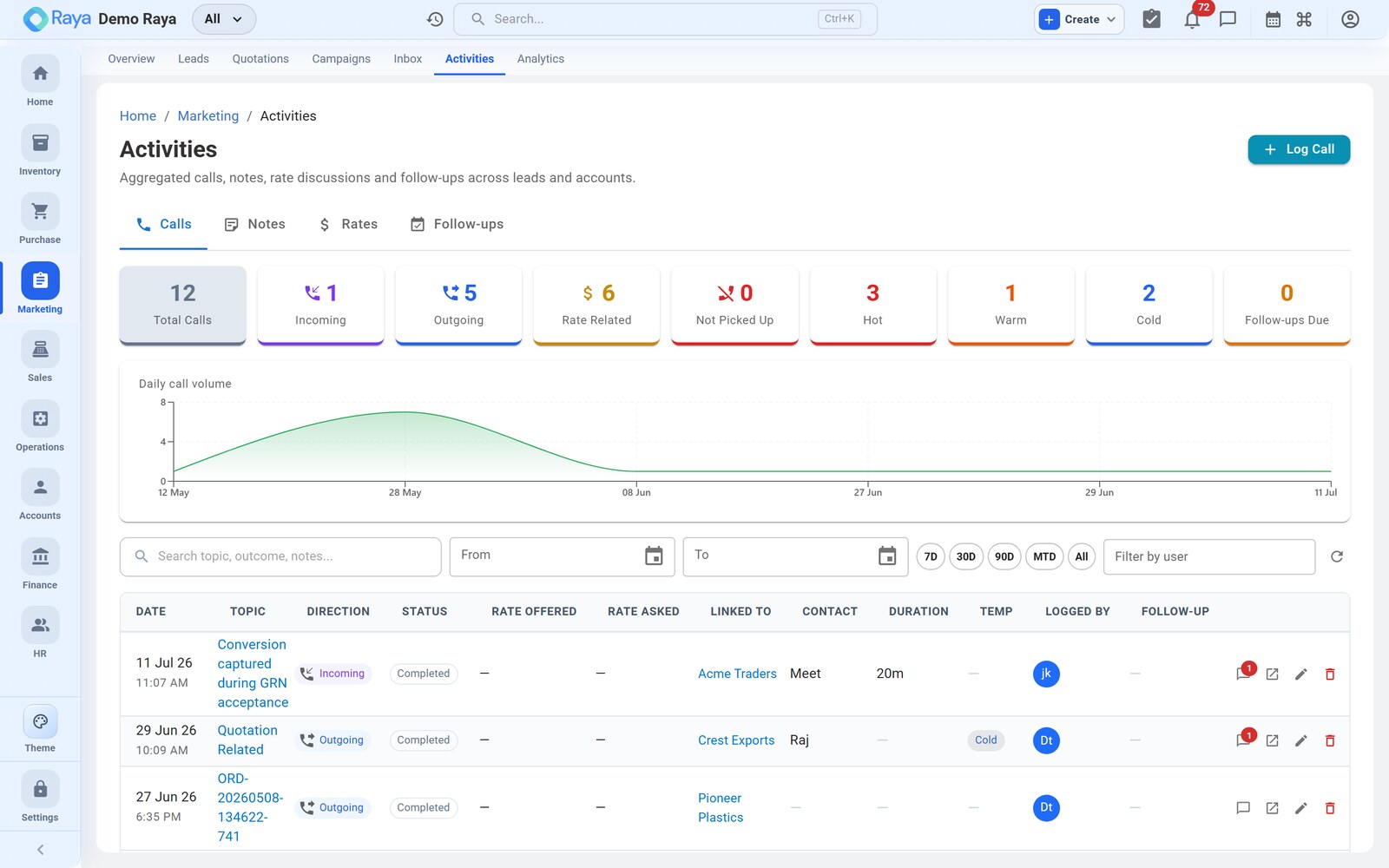
Worked example (continued): the Meridian Supplies lead is Qualified and wants 8 MT of LDPE Film. On the qualifying call, Priya asks for ₹115/kg against your ₹128/kg list rate, and your rep is authorised to offer ₹120/kg. We'll log that call — capturing the rate exchange — and book the follow-up that keeps the deal moving.
Log an interaction
On the lead's Interactions tab, click + Add Activity.
How to fill it — step by step
-
Type — what kind of touchpoint it was:
Type Use it for Call A phone conversation — e.g. Meridian's rate negotiation Email A message sent or received outside the campaign Inbox Meeting A scheduled discussion, in person or online Note Free-form context — "buyer prefers WhatsApp for documents" WhatsApp A WhatsApp exchange Site visit A visit to the customer's premises -
Subject — a one-line summary, e.g. "Rate negotiation — 8 MT LDPE Film."
-
Description — the detail. Capture the rate exchange here so it's on the record:
Priya asked for ₹115/kg for 8 MT LDPE Film (recurring monthly). Our list is ₹128/kg; I offered ₹120/kg valid 15 days. She'll confirm after checking against her incumbent. Revised quotation (v2 @ ₹120) to follow.
-
Outcome — Positive, Neutral or Negative. This call is Positive — a real price conversation with a committed buyer.
-
Next step + due date — e.g. "Send revised quote today; call back Tue 11:00 AM." Filling this automatically creates a follow-up (see below), so logging the call and scheduling the next one are a single action.
-
Save. The activity is stamped onto the lead's timeline with who logged it and when.
:::tip Capture the rate on the deal, not on a sticky note Logging "asked ₹115 vs offered ₹120" in the activity keeps the negotiation history right where the next rep can see it — and lines up cleanly with the quotation versions (v1 at ₹128, v2 at ₹120) covered in Quotations. :::
:::note Jewelry: Rate Entry For jewelry businesses, an extra Rate Entry activity type records the gold or silver rate quoted that day. It works like the rate capture above but is structured for metal rates, feeding later day-rate reporting. :::
Schedule a follow-up
A follow-up is a scheduled next action — created for you when you fill in Next step + due date on an activity, or added directly on the Follow-ups tab. Each one has:
| Field | Meridian's follow-up | Notes |
|---|---|---|
| Due date & time | Tue 11:00 AM | When it should happen |
| Assigned to | (the lead owner) | Defaults to the owner; reassign if needed |
| Reminder | Email + portal, before it falls due | So it isn't forgotten |
| Status | Open → Done / Skipped | Close it out when handled |
Reminders arrive by email and portal notification ahead of the due time (for example one day and one hour before), so a booked callback never slips.
The follow-up calendar
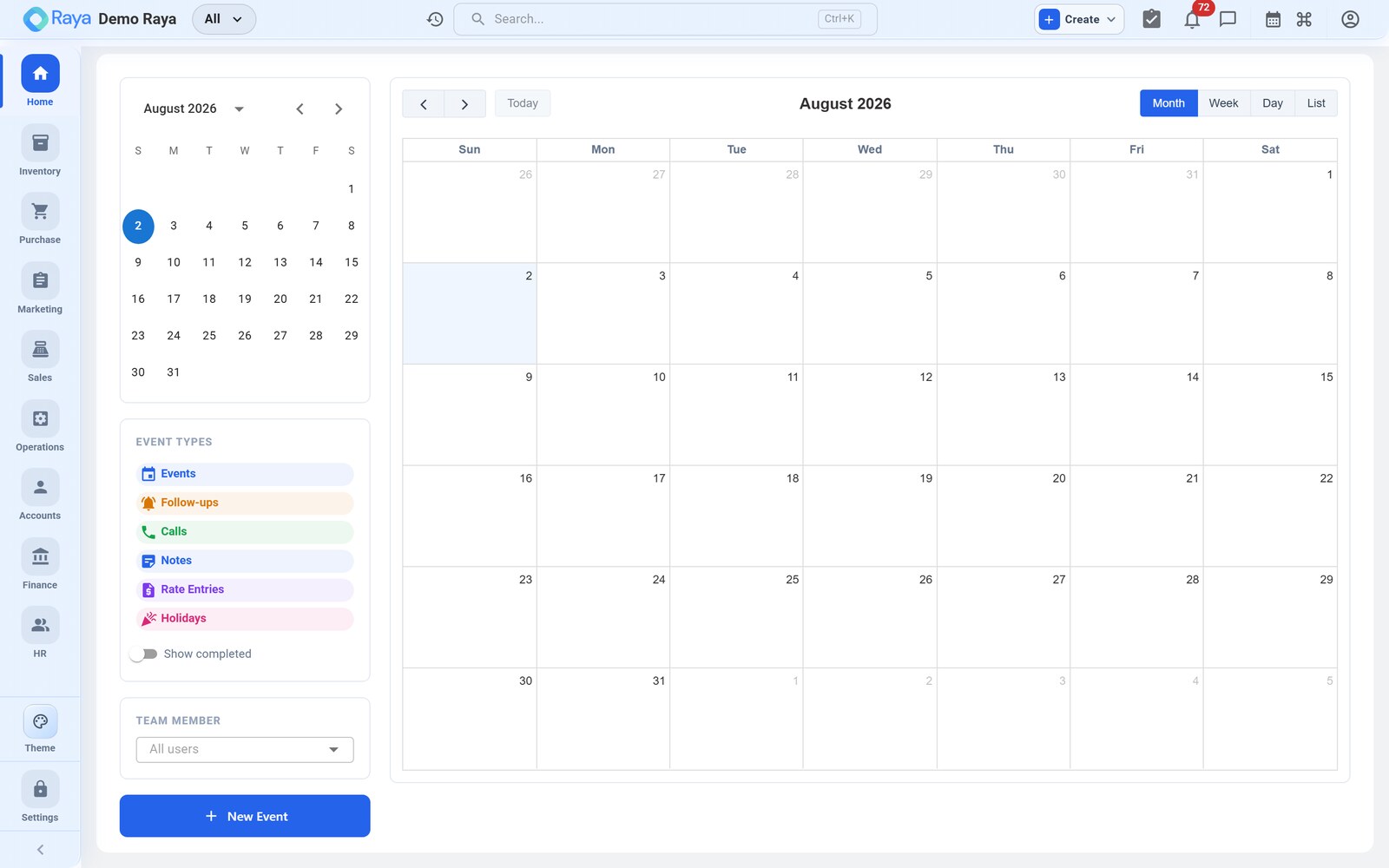
The calendar gives everyone a single view of upcoming follow-ups and meetings across the whole pipeline:
- see the week or month at a glance, and spot gaps or overloaded days;
- open any entry to jump straight to its lead and its context;
- follow-ups due today also surface on your Today dashboard widget — the same place a rep starts their morning — so nothing slips.
:::tip One timeline, any hand-off Because every call, note and meeting is on the lead's timeline and every next step is on the calendar, a rep who's on leave can hand Meridian to a colleague mid-deal without a briefing — the record already reads: form submitted, call logged (₹115 asked / ₹120 offered), quote v2 sent, callback Tue 11:00. :::
Meridian's timeline, as it reads
By the time the deal closes, the lead's Interactions tab tells the whole story at a glance — no hand-off briefing required:
Mon 09:14  Note      Form submitted via Diwali campaign — 8 MT LDPE Film      (Neutral)
Mon 15:30  WhatsApp  Priya asked "best rate for 8 MT?" — replied from Inbox   (Positive)
Tue 11:02  Call      Rate negotiation: asked ₹115/kg vs offered ₹120/kg       (Positive)
Tue 11:40  Note      Sent revised quotation v2 @ ₹120/kg (valid 15 days)       (Positive)
Fri 10:05  Call      Meridian accepted — converting quote to Sales Order       (Positive)
How activities power reporting
Because interactions are structured (type, outcome, owner, timestamp), they roll up into management views: activity volume per sales rep, and — combined with pipeline stages — average time-to-close. A steady stream of Positive activities on a lead is the leading indicator that it's heading for Won.
Related
- Leads & Pipeline — the pipeline these activities move forward.
- Quotations — where the negotiated rate becomes a versioned quote.
- Accounts — the contacts you call, meet and message.
- Lead-to-Cash — the full lead-to-cash cycle.