Stock Transfers
A stock transfer moves inventory from one location to another — feeding a forward depot from the main warehouse, or shifting material between factories. Stock leaves the source and arrives at the destination, and while it is on the road its value is parked in stock-in-transit so nothing falls off the books mid-journey. This page runs a transfer from Vatva WH-1 to Odhav Depot through its full lifecycle.
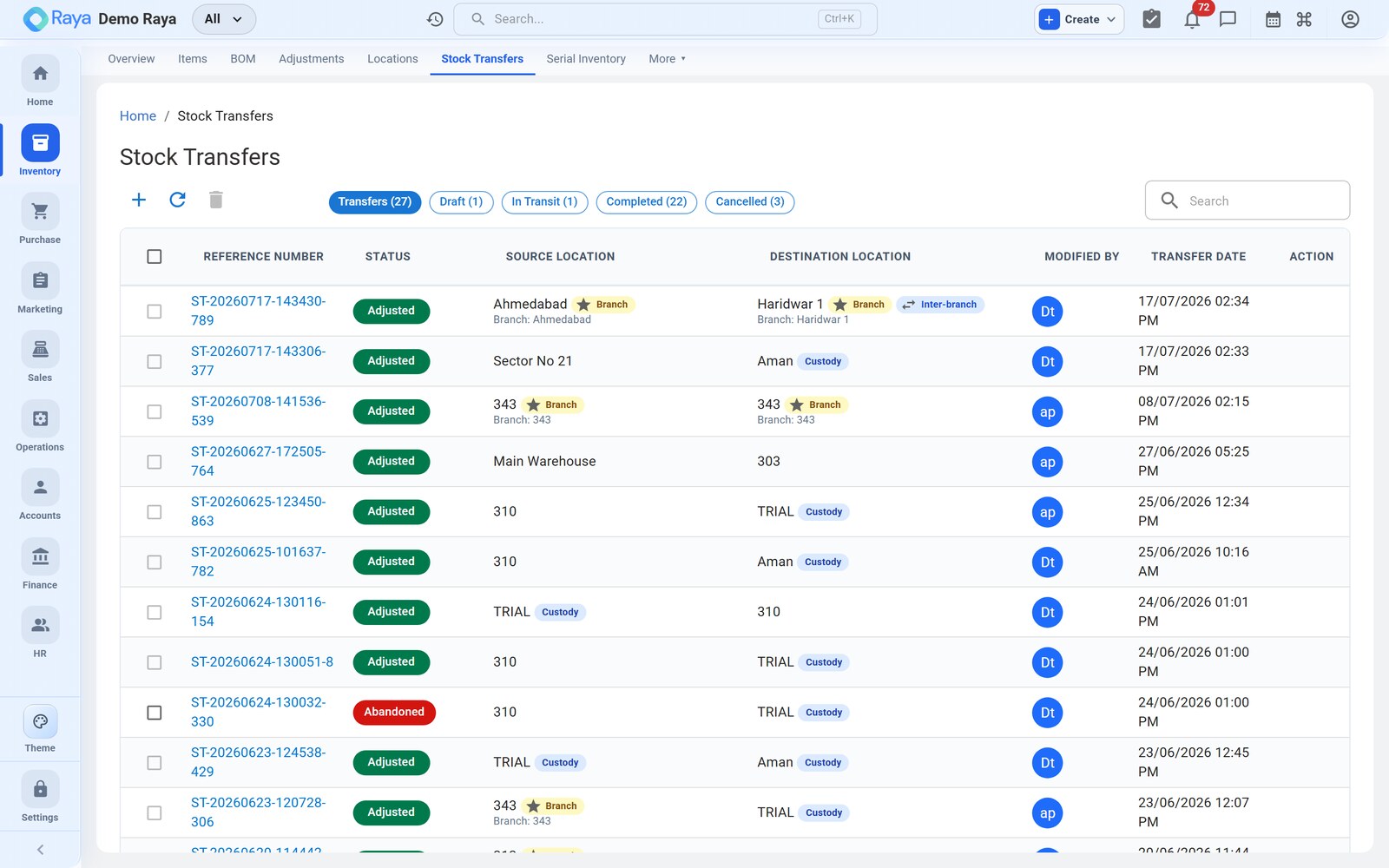
The transfer lifecycle
A transfer is a two-ended document that moves through three states:
| State | What has happened | Stock effect |
|---|---|---|
| Draft | Source, destination and lines entered; not yet dispatched | None — availability is only checked |
| In Transit | Goods dispatched from the source | Transfer Out at source; value → stock-in-transit |
| Complete | Goods received and confirmed at the destination | Transfer In at destination; stock-in-transit cleared |
Worked example — 8 MT WH-1 → Odhav
Odhav Depot is running low on HDPE Granules — Grade A ahead of a drum run. We move 8 MT of batch HD-2405-A across town.
1. Draft
- Go to Inventory → Stock Transfers → + New Transfer.
- Set Source = Vatva WH-1 and Destination = Odhav Depot.
- Add the line HDPE Granules — Grade A, batch HD-2405-A, quantity 8 MT. Raya checks there are at least 8 MT free-to-promise at Vatva and warns if not.
- Save as Draft.
2. Dispatch → In Transit
Confirm and dispatch the transfer. Raya writes a Transfer Out at the source and moves the value into stock-in-transit:
Transfer Out   HDPE Granules — Grade A   −8 MT   @ Vatva WH-1 (batch HD-2405-A)

Dr  Stock-in-Transit ............ 7,60,000   (8 MT × ₹95,000)
Cr      Inventory — Vatva WH-1 ....... 7,60,000
Vatva's on-hand drops by 8 MT immediately; Odhav has not gone up yet. The batch identity travels with the goods.
3. Receive → Complete
When the truck arrives, open the transfer and Receive. Raya writes the Transfer In at the destination and clears stock-in-transit:
Transfer In    HDPE Granules — Grade A   +8 MT   @ Odhav Depot (batch HD-2405-A)

Dr  Inventory — Odhav Depot ...... 7,60,000
Cr      Stock-in-Transit ............. 7,60,000
The transfer is now Complete: Vatva −8 MT, Odhav +8 MT, stock-in-transit back to zero, batch preserved end to end.
:::note Stock-in-transit Stock-in-transit holds the value of goods that have left the source but not yet been received, so total inventory value is conserved across the two locations at every moment — even overnight while the truck is on the highway. :::
:::caution Receive the actual quantity If only 7.8 MT arrive (spillage in transit), receive 7.8 MT. The 0.2 MT shortfall stays in stock-in-transit and should be cleared with a Damage adjustment so it isn't silently lost. :::
Same-GSTIN vs cross-branch
How a transfer is treated depends on whether the two locations share a GST registration — see Locations for the branch model.
| Scenario | Example | What Raya does |
|---|---|---|
| Same GSTIN | Vatva WH-1 → Odhav Depot (both 24…Z5) | Internal move — auto-posts stock-in-transit journals as above. No tax. |
| Different GSTIN | Vatva WH-1 (Gujarat) → Bhiwandi Branch (27…Z3, Maharashtra) | A deemed supply between distinct persons — a plain stock transfer is blocked; raise the proper branch-transfer document with IGST and an e-way bill instead. |
:::caution Don't force a cross-GSTIN transfer Moving stock between two different GSTINs is a taxable inter-branch supply, not a simple transfer. Raya stops the plain transfer so you issue the correct tax document — using an adjustment or a mislabelled transfer to shortcut it will leave your GST returns wrong. :::
Related
- Locations — the branches and GSTINs that decide the treatment.
- Stock Adjustments — clear an in-transit shortfall.
- Serial Inventory — custody as serial units transfer.
- Costing & Reports — transfers in the movement report.