Price Lists
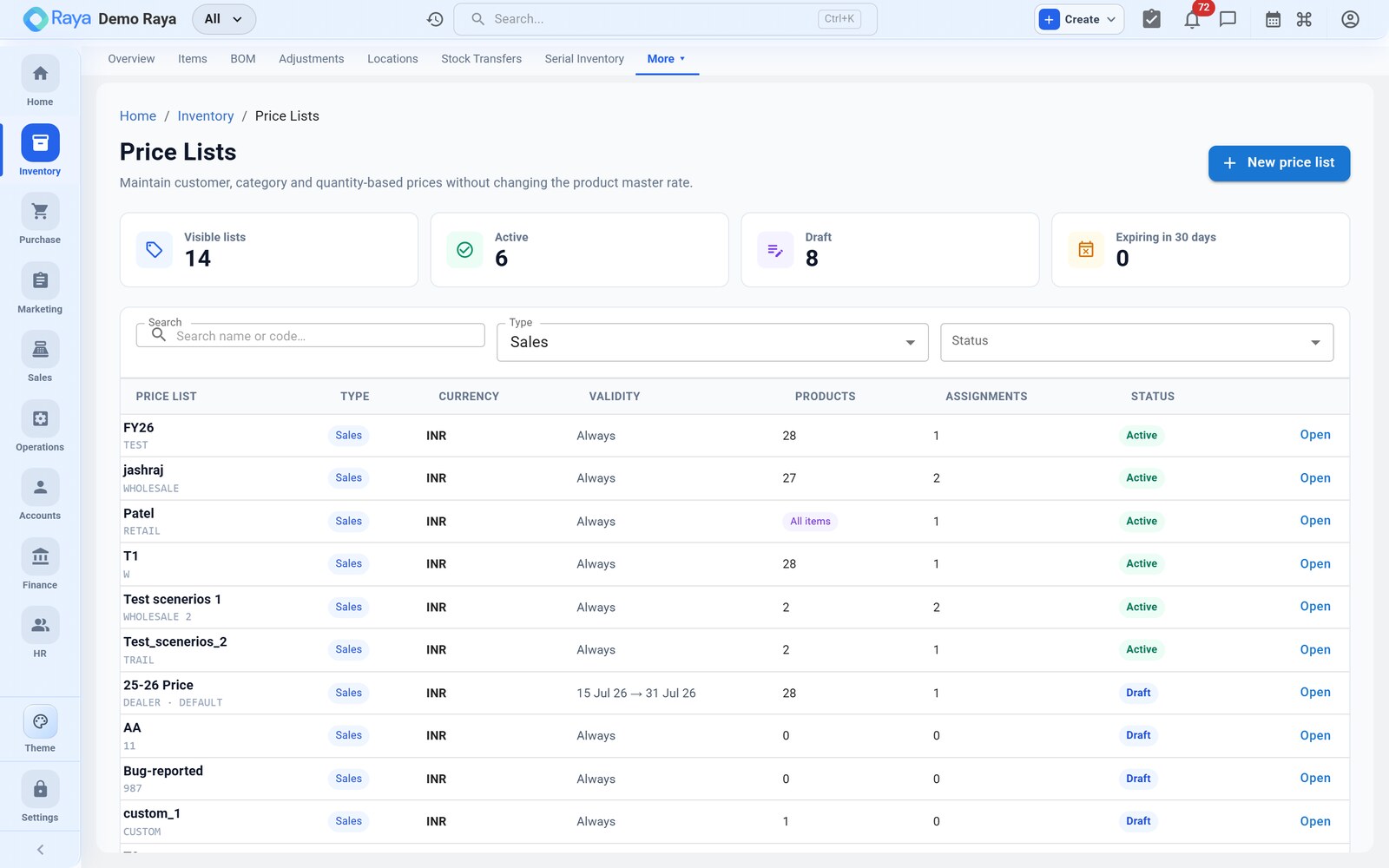
A price list is a named set of prices you can apply instead of an item's default selling rate. Use them for customer-specific contracts and quantity-based tiers so the right price is picked automatically on an order — no manual discounting, and no line-by-line arguments about what a customer was promised. This page builds a tiered contract list for our 50 L HDPE Drum and follows it onto an order.
Where a price comes from
Every sellable item has a default selling rate on its item master (the drum's is ₹520). A price list overrides that for the customers and quantities you point it at. On an order line, Raya resolves the price in a fixed order of precedence:
- The customer's assigned price list (if any), then
- the quantity tier within that list matching the line quantity, then
- the item's default selling rate as a fallback.
Worked example — a contract list for Neptune Polymers
Neptune Polymers has negotiated volume pricing on drums. We capture it once.
1. Create the list
- Go to Inventory → Price Lists → + New Price List.
- Name it
Contract — Neptune Polymersand set the Currency toINR. - Optionally set Effective dates — say
01 Apr 2026 → 31 Mar 2027— so the contract pricing applies only for the agreed year and reverts afterward.
2. Add the item with quantity tiers
Add a line for 50 L HDPE Drum and set quantity breaks:
| Quantity ordered | Rate per drum |
|---|---|
| 1 – 499 | ₹500.00 |
| 500 – 1,999 | ₹480.00 |
| 2,000+ | ₹460.00 |
Each break is a lower unit rate once the ordered quantity crosses the threshold — larger orders are rewarded automatically. Save.
3. Assign it to the customer
Assign the list to Neptune Polymers so their orders use it by default. A customer with no assigned list simply falls back to the item's default selling rate.
:::tip One list, many customers
A list needn't be per-customer. Build a shared Wholesale or Distributor list with its
own tiers and assign it to a whole segment — the granules can carry a bulk list the same
way. A customer can only have one list active at a time.
:::
How pricing cascades onto an order
Raise a sales order for Neptune Polymers, 750 × 50 L HDPE Drum:
- Raya sees Neptune's assigned list
Contract — Neptune Polymers— step 1. - It matches the 500 – 1,999 tier for a quantity of 750 — step 2.
- The line rate fills in as ₹480.00, not the ₹520 default:
50 L HDPE Drum   750 Pc × ₹480.00 = ₹3,60,000   (tier 500–1,999)
+ GST @ 18% (HSN 3923)            = ₹64,800
                                   -----------
Order value                        ₹4,24,800
Change the quantity to 2,100 and the rate re-resolves to ₹460.00 the moment the line crosses 2,000 — the tier is evaluated live as you type.
:::note Price list sets revenue, not cost The list drives the selling side only. Margin is that price against the drum's rolled-up cost (≈ ₹249.56 from its BOM): at the ₹480 tier the gross margin is ≈ ₹230/drum. Watch the spread on the deepest tiers so a volume discount never dips below cost — check it in Costing & Reports. :::
A shared list for many customers
The granules sell to a whole tier of resellers, so instead of one list per customer we
build a shared Distributor list — HDPE Granules — Grade A at ₹1,05,000/MT (1–19
MT) dropping to ₹1,02,000/MT (20 MT+) — and assign it to every distributor account.
An order for 25 MT from any of them resolves to ₹1,02,000/MT automatically, and a rate
change is made once on the list rather than on each customer.
Precedence recap
| On the order line, Raya uses… | …if it exists |
|---|---|
| 1. A manual override typed on the line | Always wins (and is flagged) |
| 2. The customer's price list + matching tier | Contract / Distributor rate |
| 3. The item's default selling rate | Fallback when no list applies |
:::caution Effective dates and overrides If a list has lapsed (today is past its end date), Raya ignores it and falls back to the item default — a common surprise when a contract year rolls over. A user can still manually override a line rate on the order; the override wins over the resolved price but is flagged so it's visible on review. :::
Related
- Working with Items — where default selling rates are set.
- Bill of Materials — the cost the price is measured against.
- Costing & Reports — compare price, cost and margin.