Ledger & Day Book
Two everyday views onto the same postings: the Ledger follows one account through time, while the Day Book lists everything that happened on a given date.
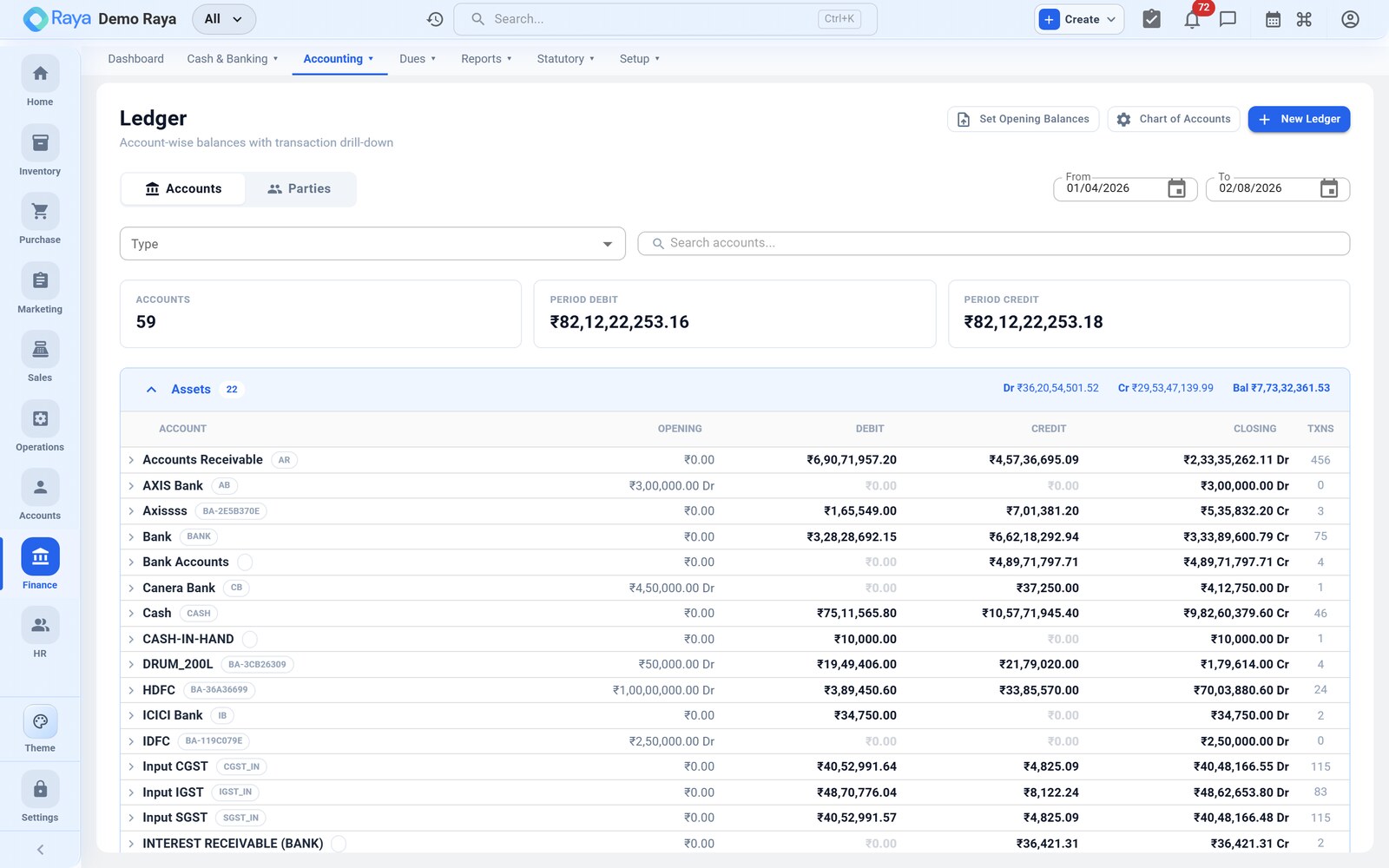
Ledger
The Ledger report shows the full transaction history of a single account — every debit and credit with a running balance.
- Go to Finance → Reports → Ledger (or open a ledger from the Chart of Accounts).
- Pick the account and a date range.
- Drill into any line to open the source voucher behind it.
Because every customer and supplier has its own account, the ledger doubles as a party ledger — use it to see exactly what a customer owes or a supplier is owed, then share a party statement by email or WhatsApp.
Day Book
The Day Book lists all vouchers posted on a chosen date (or range), across every account and voucher type — a chronological journal of the day's activity.
- Go to Finance → Reports → Day Book.
- Choose the date or range.
- Filter by voucher type if you only want, say, receipts.
:::tip Reconcile a day's takings Open the Day Book for yesterday and check the receipts and payments against your cash and bank movements before closing the day. :::
Both views export to Excel and PDF.