Chart of Accounts
The Chart of Accounts (CoA) is the tree of every ledger account your books post to. Raya seeds a standard Indian chart when you register, so you can start transacting straight away.
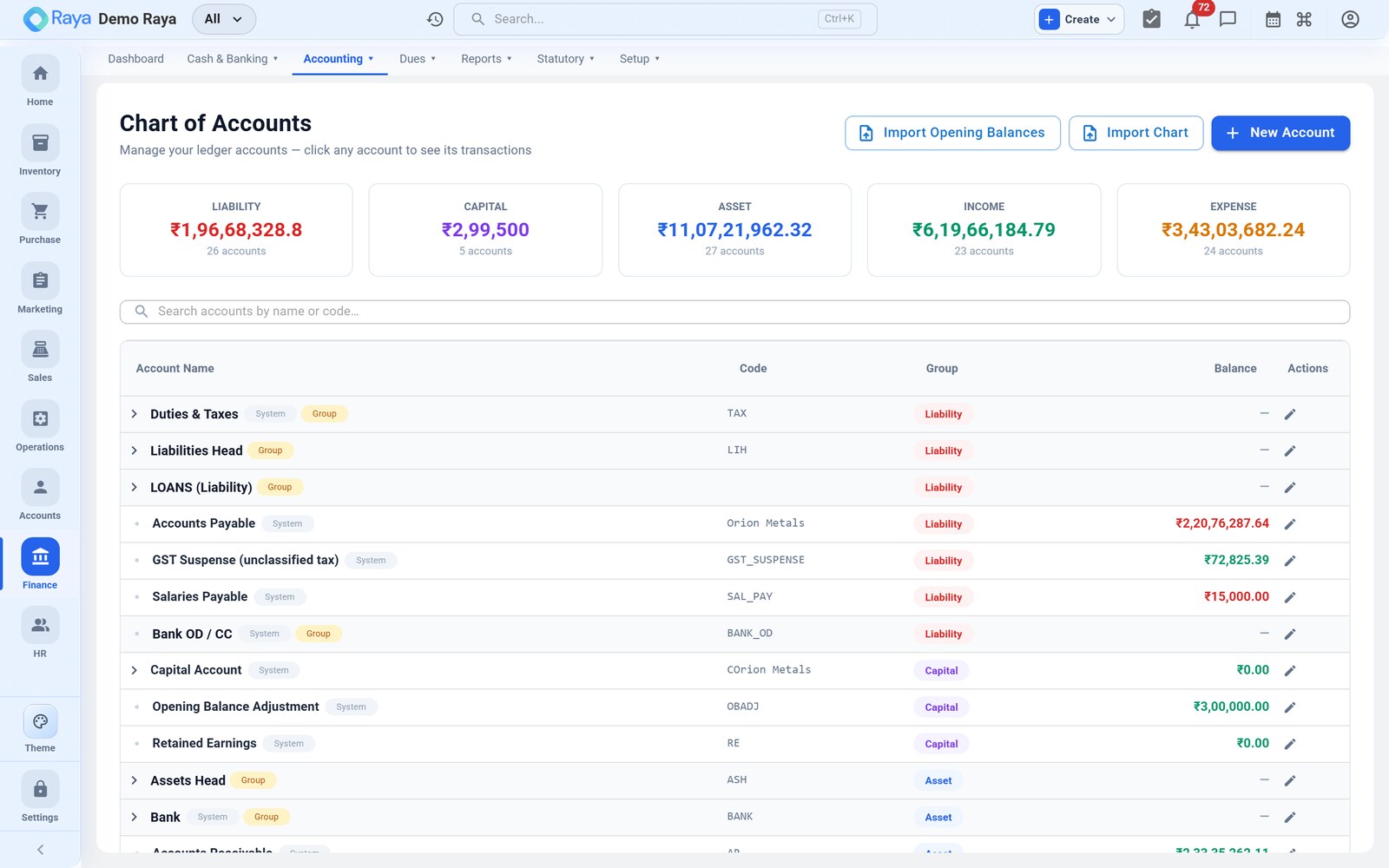
The five account groups
Every account rolls up under one of five top-level groups, and those groups drive the financial statements:
| Group | Nature | Examples |
|---|---|---|
| Asset | What you own | Cash, Bank, Receivables, Stock, Fixed Assets |
| Liability | What you owe | Payables, GST payable, Loans |
| Capital | Owner's equity | Capital account, Reserves |
| Income | What you earn | Sales, Other Income |
| Expense | What you spend | Purchase, Salaries, Rent, Depreciation |
Groups nest several levels deep — for example Asset → Current Assets → Bank Accounts → HDFC Current A/c — and ledgers, the accounts that actually hold balances, sit at the bottom.
System accounts
Raya auto-creates the accounts it needs to post automatically: Cash, Bank, Accounts Receivable, Accounts Payable, Sales, Purchase and the GST accounts. These are wired into auto-posting, so they can be renamed but not removed.
Custom ledgers
Add your own ledgers under any group for the accounts your business needs.
- Go to Finance → Chart of Accounts.
- Select the parent group (e.g. Indirect Expenses).
- Click + New Ledger, name it, and confirm the group.
- Save — the ledger is now available on vouchers and reports.
You can mark a ledger inactive to hide it from new entries, but a ledger that has ever been used cannot be deleted — this protects historical postings.
Opening balances
When you go live part-way through a year, enter each account's opening balance as at your start date so the books carry on seamlessly. Debit and credit opening balances must net to zero across all accounts, exactly like a Trial Balance.