Cash, Bank & Reconciliation
Track physical cash and every bank account in one place, then match your bank statement against the books.
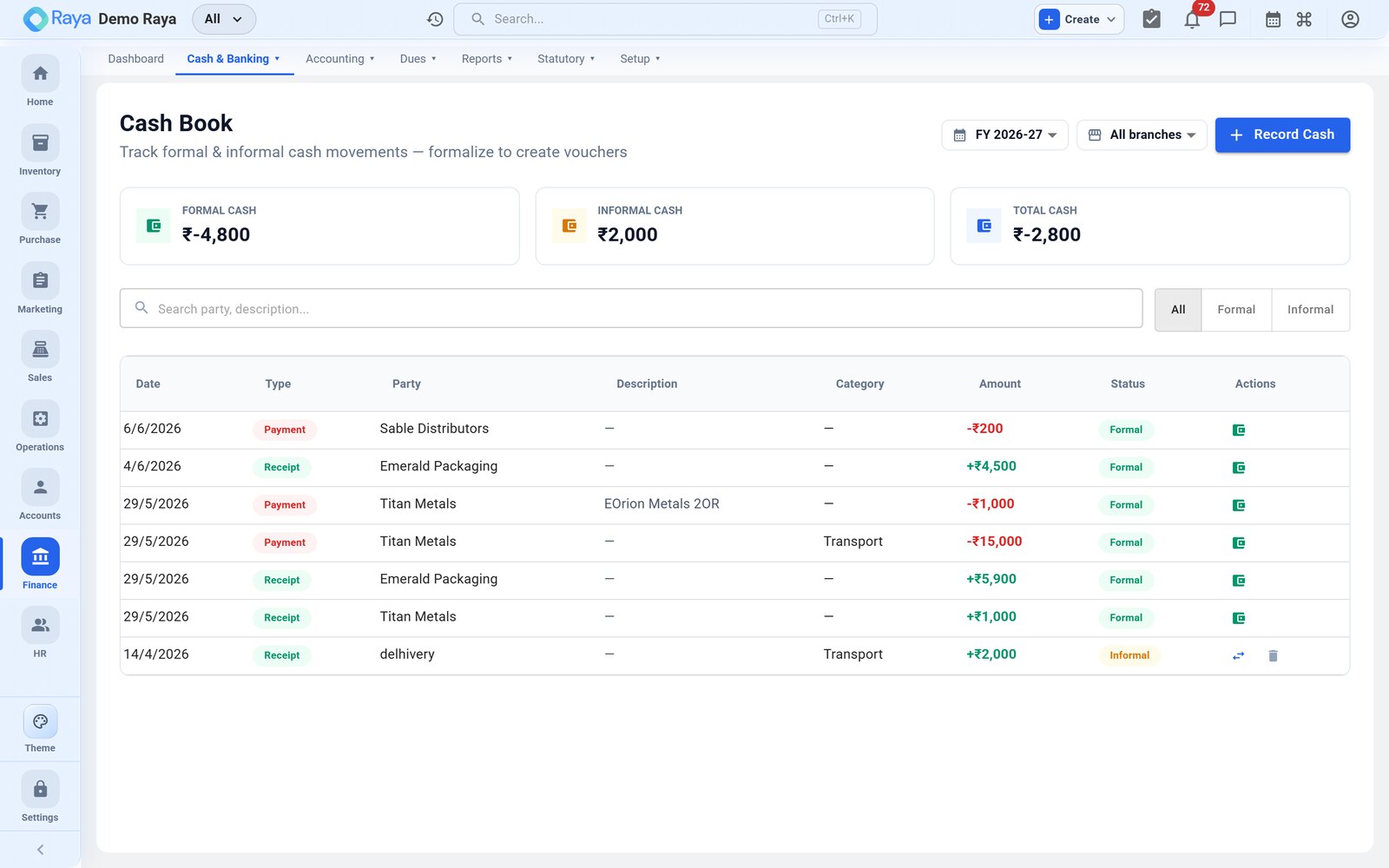
Cash book
The Cash Book is a running view of your cash and bank ledgers — opening balance, receipts and payments columns, and a running balance per account. Raya keeps two layers:
- Formal cash book — the audited, ledger-backed record that appears in your financial statements.
- Informal (off-books) cash book — day-to-day and petty-cash movements captured quickly, kept separate from the general ledger.
When an informal entry needs to become official, formalize it: Raya converts it into a proper voucher that posts to the ledger, so nothing is lost and the two balances stay in step. You can also review category-wise cash flow to see where cash is going.
Bank accounts
Each bank account is a ledger under Asset → Bank Accounts. Receipts, payments and Contra transfers (cash ↔ bank) all update its balance automatically.
Import a statement & reconcile
Reconciliation confirms that your book balance agrees with the bank's.
- Go to Finance → Cash Book → Reconcile and pick the bank account.
- Import the bank statement (CSV) for the period.
- Raya lines up statement rows against unreconciled ledger entries; confirm the suggested matches.
- For a statement line with no match — bank charges, interest — post the missing entry as a Journal or Payment/Receipt on the spot.
- When every line is matched, the reconciled balance equals the statement's closing balance.
:::note Timing differences Cheques issued but not yet cleared stay unreconciled until the bank processes them — that's expected, not an error. :::